What Is a Headless Browser
A browser engine that runs without a visible window, controlled by code instead of a mouse.
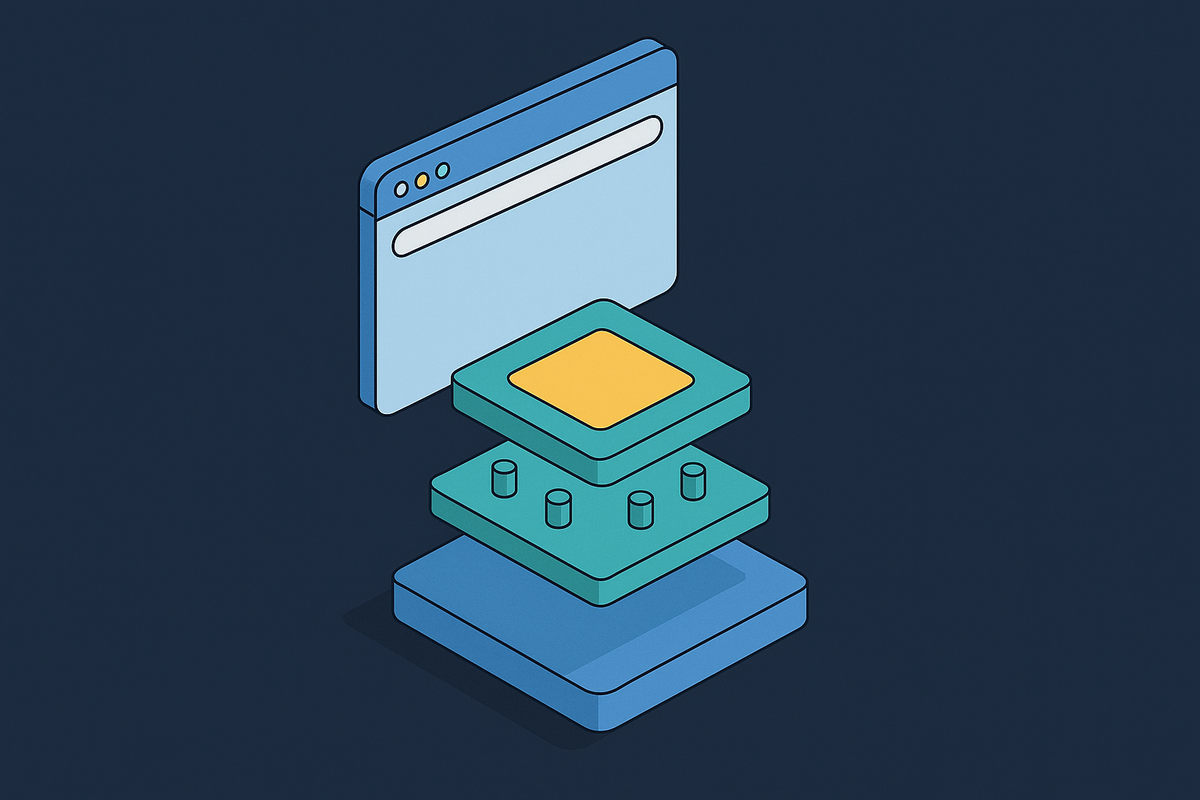
A headless browser is a full browser engine, the same rendering pipeline, the same JavaScript engine, the same networking stack, the same cookie jar, running without a visible window and driven by code instead of a mouse. The word "headless" refers to the absence of a windowing system, not the absence of rendering. The browser still parses HTML, builds the DOM, computes styles, does layout, and rasterizes a page. It just throws the finished pixels into a memory buffer instead of painting them onto a screen.
That distinction matters because a persistent piece of engineering folklore says the opposite. Years ago, Chrome shipped headless mode as a separate, lighter implementation, and it had its own browser layer. Extensions, permissions UI, printing paths, and some navigation plumbing were simply missing from it, and that gap is where the belief that "headless Chrome behaves differently" took hold among developers who hit bugs they couldn't explain. Chrome has since unified headless mode into the real browser binary, using the same browser layer as the windowed version, and the only change is that it doesn't paint to a display. If you want the lightweight option, you can still use chrome-headless-shell, a separate, smaller binary, but Chrome removed the old headless implementation from the Chrome binary itself as of Chrome 132.
What does that mean for someone debugging a test that passes with a visible window and fails without one today? The cause is almost always the environment the browser runs in, not the headless mode itself: a missing font, a different timezone setting, a smaller viewport, the absence of a GPU, or too little shared memory allocated to the container. Debugging a font-rendering mismatch is a completely different task from debugging a browser engine bug, and conflating the two wastes engineering hours chasing the wrong fix.
Control over a headless browser happens through a protocol rather than a GUI. The dominant one is the Chrome DevTools Protocol, known as CDP, which talks directly to the browser's internals and lets scripts intercept network requests, emulate different devices, and read the DOM with very little overhead. The alternative is the W3C WebDriver and WebDriver BiDi protocol, currently a W3C Working Draft, which uses bidirectional, event-driven communication that has been closing the feature gap with CDP. Neither protocol requires a screen. Both assume the browser underneath is complete. That is the foundation the rest of this piece builds on: a headless browser is not a weaker browser, it is a normal browser with nowhere to display what it draws.
What is running when you launch a headless browser
Launching a headless Chromium instance does not start a single process. It starts something closer to a small operating system's worth of them, and that is by design rather than by accident, because Chromium's multi-process architecture exists for security isolation, not for performance. A developer who thinks of "a browser" as one process to count and monitor is working from the wrong mental model.
What does the process tree actually contain? A browser process owns the profile and handles top-level coordination. A renderer process spins up per site instance, not per tab, because Chromium's site isolation puts cross-origin iframes into their own separate renderers. A GPU process runs even on a machine with no GPU hardware at all, because compositing and rasterization logic lives there regardless of whether real graphics hardware backs it. Run ps after launching a single headless browser and loading nothing yet; the list of processes already on screen outnumbers what most people expect from "one browser."
The memory cost that falls out of this architecture is not a rounding error. A cold headless Chromium instance uses between 50 and 150 MB of resident memory at boot, before it has loaded a single page, and the working number engineers plan around for a fleet is 300 to 500 MB per concurrent instance once it's rendering a typical modern web page.
Hardware matters here too. Screenshots of GPU-intensive pages taken on such a machine can look subtly different from the same screenshot taken on a developer's laptop with a real GPU.
There's a second, older way to run a browser without a visible display, so don't confuse it with native headless mode. If you run a fully headed browser on a virtual framebuffer, such as Xvfb, you give it a fake screen that nobody actually looks at. This approach is heavier than native headless mode and is mostly legacy at this point, but it still gets used as an escape hatch when headless mode in a given browser version doesn't support something an engineer needs. Knowing the difference matters because the two approaches carry very different resource costs, even though both end with "no window on anyone's monitor."
The four things headless browsers are legitimately used for
Headless browsers serve four well-established, distinct purposes, and lumping them together as "browser automation" obscures how differently each one scales and what each one actually costs to run.
The first is automated testing inside CI/CD pipelines. These tests run headless on continuous integration servers with no screen attached, in short-lived sessions, and they arrive in burst workloads when a team pushes code. These tests check form submission, mouse clicks, keyboard input, and how a page renders across different screen sizes. Speed is the entire value proposition in this case: skipping visible rendering means faster test cycles, and a single machine can run several simulated browsers side by side rather than one at a time.
The second is web scraping and data collection from pages that render their content with JavaScript. A headless browser executes the page's JavaScript, waits for asynchronous calls to finish, and hands back the DOM in its final, fully rendered state, which is the only reliable way to reach content that simply doesn't exist in the initial server response. You'll see this constantly in price monitoring, research aggregation, and content pipelines built against sites that don't offer a public API.
The third is screenshot and PDF generation running on a server rather than in front of a person. Puppeteer in particular was built with deep CDP integration aimed at this kind of output, so PDF generation and screenshot capture remain one of its clearest strengths.
The fourth is the newest: AI agents operating on the live web. When autonomous agents perform multi-step tasks across websites, they drive a headless browser to navigate pages, click elements, fill out forms, and read back what's on screen. The browser functions as the agent's hands and eyes, letting it act on a website rather than just read a static snapshot of one. It's also the fastest-growing use case, reshaping the infrastructure requirements around headless browsers in ways the other three never did: sessions run longer, concurrent instance counts run higher, and the agent's own behavior is far less predictable than a deterministic test script. The next two sections take up why that is.
How the frameworks developers reach for differ
Each use case above has a corresponding set of tools built to serve it, and the choice between them shapes what's easy, what's fast, and what's even possible, rather than functioning as interchangeable wrappers around the same underlying browser.
Playwright, built by Microsoft, is one of the frameworks developers reach for most often today, with support across Chromium, Firefox, and WebKit from a single API. Puppeteer, maintained by Google's Chrome DevTools and Browser Automation team, takes a different path: deep, direct integration with CDP gives it particular strength in PDF generation and screenshot work, and while it started Chromium-first, stable Firefox support has since been added. Selenium remains a major presence in the ecosystem as well, built around the W3C WebDriver/WebDriver BiDi protocol rather than CDP, with bidirectional event-driven communication closing the feature gap with CDP.
Beyond those three general-purpose frameworks sit tools built specifically for the AI agent use case described above. Stagehand, from Browserbase, is an AI browser automation SDK with Playwright-style APIs, built around what its makers call self-healing automations, specialized for the reality that a page's structure can change out from under a script that was written against yesterday's version of that page. Browser Use is an open-source Python framework built around the same problem, and it gives agents a way to interact with pages without a human hand-coding every selector.
Lightpanda takes the most architecturally distinct approach of the group. It's an open-source headless browser built entirely from scratch in the Zig programming language, purpose-built for AI agents and automation workloads, rather than wrapping Chromium the way the frameworks above do. It claims substantially faster execution and significantly lower memory use than headless Chrome, while still maintaining compatibility with both Puppeteer and Playwright through CDP. Whether that trade-off holds up at scale is worth watching as adoption of agent-native browsers grows, and the 300 to 500 MB per instance figure for Chromium is a consequence of one particular engine's architecture, not a law of physics, so a different architecture can plausibly produce a different number.
How AI agents changed headless browser infrastructure requirements
AI agent workloads aren't just a heavier version of the testing and scraping cases described earlier. They carry structurally different requirements that make running headless browser infrastructure on one's own servers substantially harder to do reliably.
Three things set agent workloads apart. Session duration is the first: a CI test runs for seconds or minutes and then exits cleanly, while an agent session working through a multi-step task on a website is long-lived, unpredictable in how long it will run, and may sit idle mid-task while it waits on a model to finish reasoning about what to do next. A deterministic test script either passes or fails in a way an engineer can predict and reproduce, but an agent's next move gets decided by a language model reading whatever content happens to be on the page in front of it, including content nobody trusts, which makes crash recovery, timeout handling, and session cleanup considerably harder to design for.
Three developments converged. And standardization work began in earnest: Google shipped WebMCP as an early preview in Chrome at Google I/O 2026, running as an experimental origin trial opening in Chrome 149, which made Chrome the first browser to offer a public origin trial for a proposed standardized protocol aimed at AI agent tool access. It's a live development rather than a settled standard, so you should watch it rather than treat it as finished infrastructure.
Gartner's prediction implies substantial adoption at scale. Gartner predicts that a large share of enterprise applications will integrate task-specific AI agents by the end of 2026, a sharp rise from the small fraction that had done so in 2025. But is managed, cloud-hosted infrastructure actually the inevitable answer to agent-scale browser workloads? Tencent's BrowserSkill project argues it isn't, proposing a contrarian "bring your own browser" model that shifts compute and network egress onto local or internal virtual desktop infrastructure instead of a third-party cloud service, pushing cost-per-request down toward near zero once LLM inference costs are set aside, and it is the sharpest objection on record to the managed-infrastructure consensus building around agent browsers because it attacks the economics at exactly the point where managed services make their money: compute and egress at scale.
Why scaling headless browsers gets expensive fast
The process-tree architecture and per-instance memory figures described earlier are the mechanism by which a workload that felt free on a single laptop turns into one of the largest line items in a production infrastructure budget.
Consider the progression from a developer's machine to a production fleet. Add the process-tree overhead described there, the separate renderer per site instance, the GPU process running even without GPU hardware, the network and storage service processes, and the true per-session footprint climbs well past what a single number for "one browser" would suggest.
AI agent workloads intensify this further for the reasons the previous section laid out. None of that appears in a simple "cost per browser instance" calculation, yet all of it is billed as part of the infrastructure cost.
Is there a way to avoid these costs? Not entirely, and that's precisely the tension driving the split outlined in the previous section between managed, cloud-hosted browser platforms built to absorb this complexity, and approaches like Tencent's BrowserSkill that try to push compute and egress costs back onto infrastructure a team already owns. Neither path escapes the physics of what a browser engine does when it loads a modern web page. The architecture described at the start of this piece, a full rendering pipeline, a full JavaScript engine, a full networking stack, running without a window but with none of its underlying work removed, is what makes headless browsers useful for testing, scraping, document generation, and now autonomous agents. It's also what makes running them at scale a cost that has to be engineered around rather than wished away.