Smoke Testing Browser Flows in CI/CD Pipelines
Fast, minimal checks that catch deployment failures before they reach users.
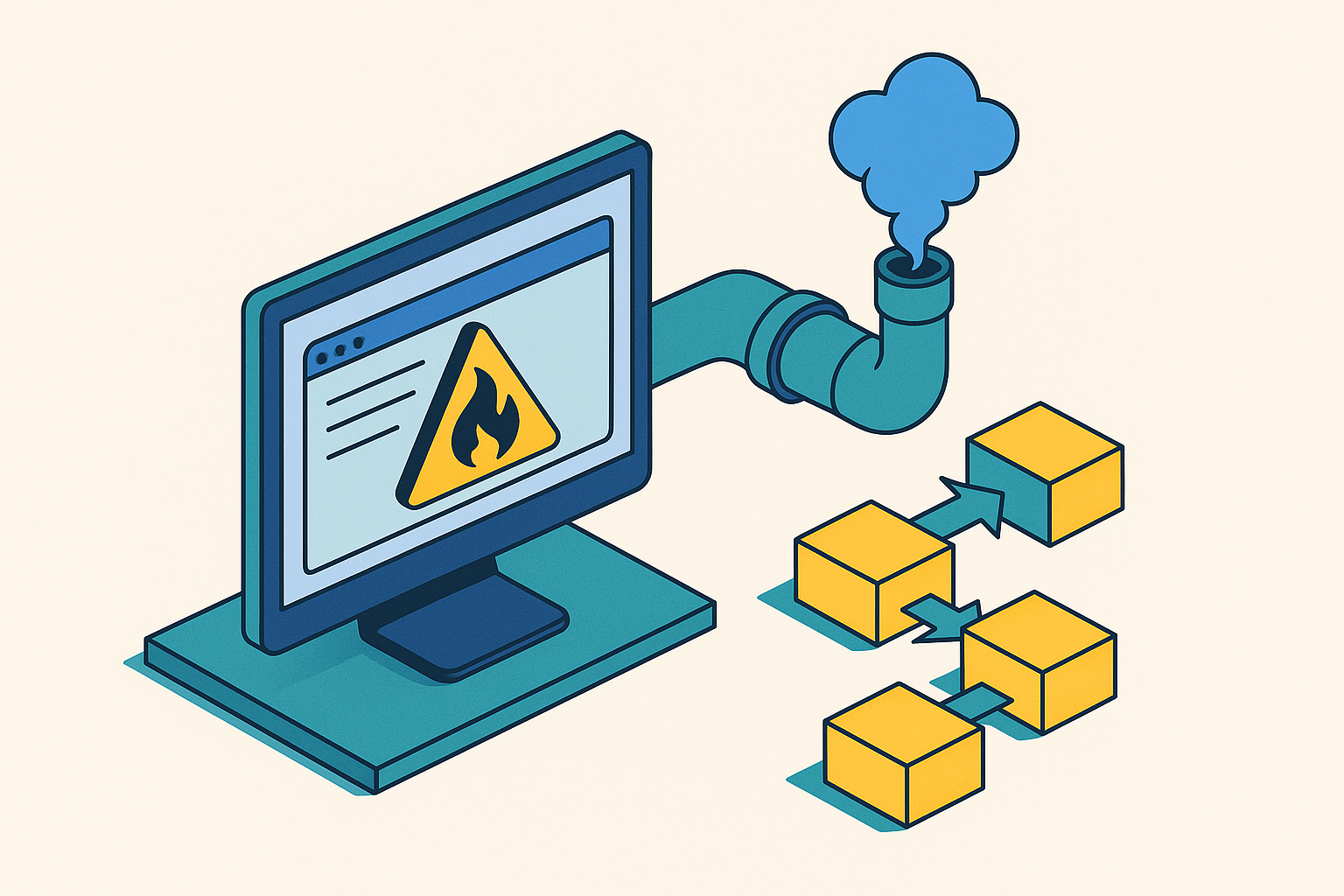
Smoke testing browser flows in CI/CD comes down to one discipline: pick a small, fixed set of critical-path checks (login, core navigation, the transaction your app lives or dies on) and run them fast enough that they gate every deployment without anyone resenting the wait. The term comes from hardware testing, where engineers powered on a circuit and watched for smoke before doing anything more sophisticated. If nothing burns, you move on to real diagnostics; if it does, you've saved yourself hours of wasted testing on a board that was broken from the start. Applied to browsers, the idea holds up almost exactly: run a minimal set of scripted checks after a build or deploy, confirm the app is actually usable, and stop there. It is not a regression suite. It is not an integration suite. It is a tripwire, and tripwires only work if they're fast and they only cover the floor joists, not every nail in the house.
Browsers deserve their own smoke layer because that's where deployment problems actually show up for real users. A unit test passing tells you a function returns the right value. It says nothing about whether the CDN path is misconfigured, whether the auth redirect loops back to a login screen that never resolves, or whether an environment variable got dropped during the last deploy. Those failures live in the browser, in the full round trip from DNS to render, and no amount of passing unit tests catches them. A browser smoke test that passes tells you the deployment is reachable and functional in the ways that matter most. That's a different, and in some ways more honest, signal than code-level coverage.
The three questions that decide what belongs in a smoke suite
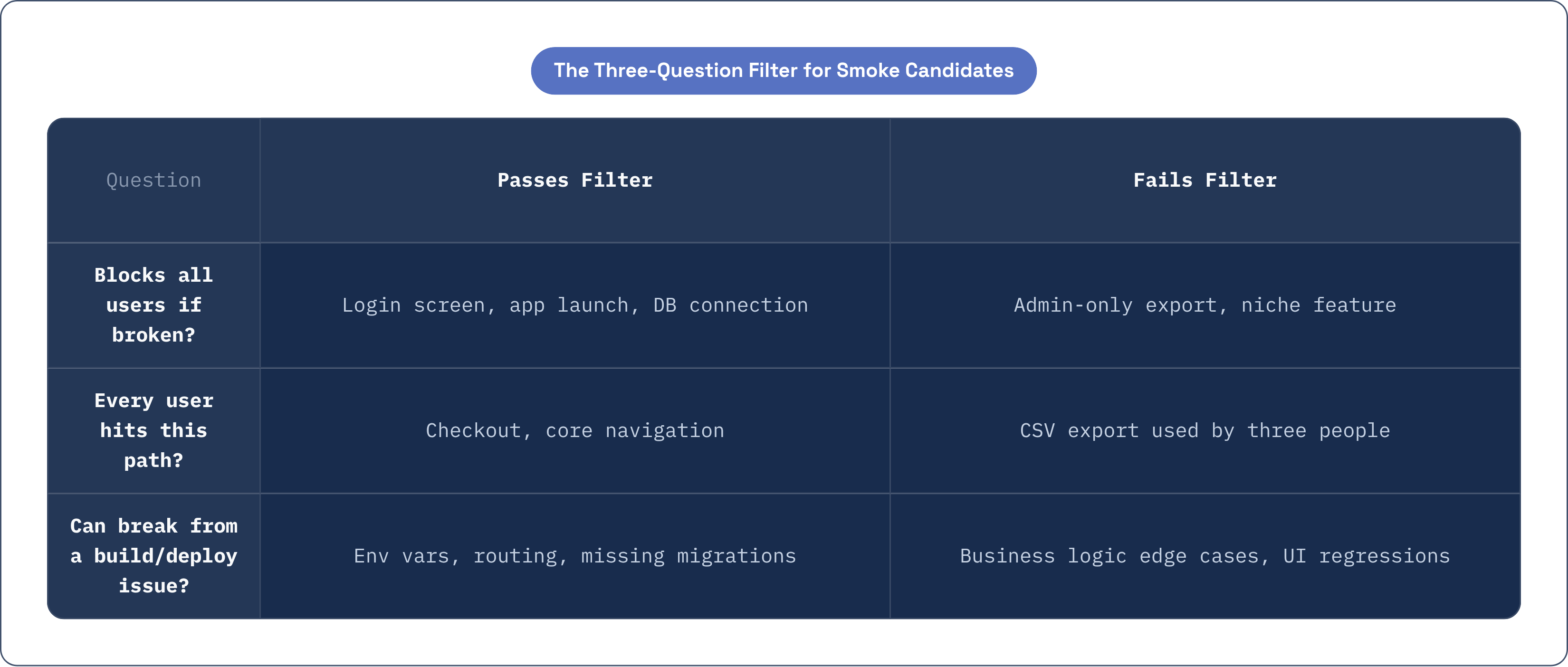
There's a filter that's held up well since it started circulating more widely in testing circles around 2026, and it's simple enough to apply to any candidate test case in about ten seconds. Ask three questions.
First: if this fails, can the user do anything at all? An app that won't launch, a login screen that crashes, a database connection that's down, these block everyone from doing anything, so they belong in smoke. Second: does every user hit this path? Checkout, yes. Admin CSV export, no, even if that export is important to the three people who use it. Universality is the bar here, not business importance. Third: can this break because of a build or deployment issue, specifically? Wrong environment variables, missing migrations, broken API endpoints, misconfigured routing, these are the failure modes smoke tests exist to catch. Smoke tests are deployment detectors. They are not feature validators, and confusing the two is where most suites go wrong from day one.
Run your existing test list through that filter and you'll probably find you have fewer legitimate smoke candidates than you thought. That's the point. Most teams don't have a smoke suite problem because they're missing checks; they have one because they've added checks that never should have qualified. The discipline is in cutting, not adding, and that's uncomfortable for teams used to treating more test coverage as an unambiguous good.
Once a test earns its place, it has to hold four properties or it doesn't belong anymore. It has to be stable: a flaky smoke test that fails at random trains everyone to shrug off red builds, which quietly kills the entire purpose of having a gate. Fix it or cut it, there's no third option. It has to be independent, meaning test three shouldn't need test two to have run first; cascading failures obscure which feature is actually broken and waste time during an incident. It has to be fast, though this one is a suite-level property, not a per-test one. And it has to be maintained. A test checking a button label that got renamed three releases ago isn't testing anything anymore, it's just generating false confidence every time it goes green.
A concrete starter set for a browser smoke suite
If you're building one from scratch, the Harness DevOps Academy laid out a sensible starting shape in 2026, and it's worth using as a template rather than reinventing it. A readiness endpoint returning success, or a Kubernetes readiness probe reporting true. A basic login or token flow, since the login path is arguably the single highest-value check you can run in a browser context; if login is broken, nothing else matters. The most-used page or API call loading the data it's supposed to. One core write operation, but only if you can make the test data idempotent; if cleanup is unreliable, skip it rather than let the suite leave junk records behind. And connectivity checks for database, cache, and queue layers, when those have historically been where your app breaks.
Speed-wise, a suite covering around eight test cases for a typical e-commerce app runs in about 23 seconds. The upper bound for the whole suite should sit under two minutes; once you're past ten minutes, you're not running a smoke suite anymore, you're running something else wearing a smoke suite's name tag.
Shopify runs smoke tests in CI to confirm storefront and checkout endpoints work before QA ever touches the build, which saves QA from spending cycles on builds that were dead on arrival. Microsoft Teams runs a nightly smoke pass confirming login, messaging, and file sharing work, not the full feature set, just the three paths nearly every user depends on daily. Notice what both examples leave out: visual regression, performance budgets, accessibility audits. Those are valuable, and they belong somewhere in the pipeline, just not here.
Where in the pipeline smoke tests run and what they gate
Two placements do most of the heavy lifting. Right after deployment to staging, smoke tests catch configuration errors, missing secrets, routing failures, and dependency mismatches before a human even opens the build. Then again as a go/no-go gate before promotion to production, where a failing smoke test should stop the pipeline and trigger a rollback automatically, not start a Slack thread asking whether it's fine to proceed anyway.
Microsoft's own baseline architecture guidance says as much: run smoke tests after deployment, and let failures halt the pipeline and roll back without waiting on a person to approve that decision. A gate that can be overridden by a tired engineer at 6pm on a Friday isn't really a gate.
Feature flags complicate this a little, in a good way. Smoke tests often run in parallel with flag-protected features, and a passing smoke run signals that the underlying baseline is stable enough for the deeper automated suites, the ones that do care about edge cases and regressions, to proceed with confidence.
There's also a distinct pattern worth naming separately: post-deployment production smoke. This runs immediately after a production release, using synthetic test accounts, never real user data, and if it fails, the team rolls back before real users hit the same wall. The window here is measured in minutes. The checks are functionally the same ones you ran in staging, but the stakes are different, and so is the urgency.
Worth saying plainly: placement doesn't fix a bad suite. If the tests themselves are bloated or flaky, putting them in the perfect spot in the pipeline just gives you noise with excellent timing.
Tooling choices for browser smoke tests and how they fit CI/CD
Selenium, Cypress, and Playwright can all navigate pages, click buttons, fill in forms, and assert on responses inside an automated pipeline, and any of them will get a basic smoke suite off the ground. Cypress and Playwright have pulled ahead for smoke use specifically because of a few practical advantages. Both wait automatically for elements to become interactive, which cuts down on the flakiness that comes from timing-dependent UI states, the kind of thing that used to require manually sprinkling sleep() calls through test code. Both support network stubbing, letting you isolate the browser layer from a slow or unreliable backend when you just want to know if the frontend itself is healthy. Playwright ships native visual comparison, so teams that want basic snapshot diffing for smoke coverage don't need a separate paid service to get it. And all three, along with Selenium, plug into GitHub Actions, GitLab CI, CircleCI, and other standard runners without needing proprietary adapters or vendor lock-in.
AI-powered testing has entered this space too, and Amazon Nova Act, released in 2025, is a good example of where it's headed. Instead of relying on CSS selectors, it uses natural language and AI-driven UI understanding to interact with a page, and it runs headless, meaning no browser window pops open during CI, which is the standard expectation for automated pipelines anyway. AWS's reference architecture pairs it with a Python test runner, an e-commerce workflow, GitLab CI, and parallel execution. What's worth noticing here is the trade, not the upgrade: you're swapping selector brittleness for prompt brittleness. A CSS selector breaks when a div's class name changes. A natural-language instruction can break when the model misreads which element on the page it's supposed to interact with. Different failure mode. Not the elimination of failure modes, just a different one to watch for.
Visual regression tools like Percy, Applitools, or Playwright's own comparison feature are optional add-ons worth considering for cross-browser coverage, catching rendering breakage that a functional assertion would sail right past. SQAExperts laid out a sensible tiering approach in 2025: Tier 1 covers Chrome, Firefox, Safari, and Edge on their latest two versions, and everything has to pass there. Tier 2 covers versions n-3 to n-4, critical path only. Tier 3, the oldest supported versions, gets smoke tests only. Even at the bottom tier, smoke acts as the floor nobody's allowed to fall through.
One more practical filter for choosing a runner, whether it's CI-native or a managed service: can it be invoked in under two minutes with no warm-up penalty? Idle billing and cold-start latency aren't just cost line items, they're pipeline health concerns, because a slow runner quietly erodes the speed constraint that makes the whole exercise worthwhile.
Running browser smoke tests against deployed edge infrastructure
Where your app actually runs changes what your smoke tests need to check. A browser test hitting a single-region staging server behaves differently than one hitting a globally distributed edge network, because routing, caching, and CDN configuration are all live variables in the second case in a way they aren't in the first. And misconfigured CDN paths and broken routing rules are exactly the class of error smoke tests exist to catch, so this isn't a side detail, it's central to why the layer matters.
Cloudflare Workers is a reasonable deployment target to build this around, and it fits smoke testing's constraints in a few concrete ways. There's no idle compute billing; the consumption-based pricing model means test invocations during CI don't rack up wall-clock cost sitting between pipeline runs. Requests get served from within 50 milliseconds of 95% of the world's internet-connected population, so a smoke check against a staging Worker reflects real latency conditions rather than the artificially clean numbers you'd get pinging a single data center. And Workers integrate with standard CI/CD through Wrangler and GitHub Actions, using the same Git-native toolchain teams already run everything else through, no proprietary abstraction layer required.
Edge deployments have their own smoke-worthy failure modes, and they're worth naming specifically because they don't show up in a typical single-server setup. Environment variables can mismatch between local and edge runtime. Cache configuration errors can surface as stale or missing content that looks fine one refresh and broken the next. Routing rules at the CDN layer can return a 200 locally and a 404 at the edge, which is about as confusing a bug as you'll encounter if you're not specifically watching for it. And API endpoints can get blocked by WAF or bot management rules mistaking synthetic test traffic for something malicious, which is its own category of false alarm worth building around rather than ignoring.
For post-deployment smoke on production edge deployments, the same rule applies as anywhere else: use a synthetic test account, never real user data. If the readiness check or login flow fails, the rollback is a single CLI command, not a data-center incident, and that gap, between a one-line CLI rollback and an actual outage response, is a big part of why this pattern is worth setting up before you need it.
Why the suite bloats over time and how to stop it
Here's the pattern almost every team falls into, and it happens for reasonable-sounding reasons every single time. A bug reaches production. Someone, understandably, adds a test to catch it next time. Repeat that fifty times over a year and you've built a suite that takes ten minutes to run and covers half a dozen edge cases nobody but you remembers the context for. Each addition made sense in isolation. Collectively, they killed the thing that made smoke testing useful in the first place: speed.
A few signs tell you the suite has drifted. Runtime creeps past two minutes and nobody notices until someone complains. Tests cover features a small minority of users touch. Failures get investigated and turn out to have nothing to do with deployment health, they're regression bugs wearing a smoke test's clothes. Tests check UI strings or labels that changed months ago without anyone updating the assertion.
The fix is a recurring audit, run quarterly, applying the three-question filter to every test already in the suite, not just the new ones coming in. Anything that's been flaky more than once without a clear, fixable root cause gets removed outright, not disabled. Disabling a test feels responsible in the moment, but it's actually debt; it sits there quietly, nobody remembers to re-enable it, and six months later you've got a suite full of tests that exist on paper and do nothing in practice. Anything that fails for reasons unrelated to deployment configuration belongs in a regression suite instead, where it can do its job properly without eating into the smoke budget.
There's a culture piece here too, and it matters more than the technical one. If a team starts treating smoke failures as noise, ignoring red builds because "it's probably just flaky," the suite has already failed no matter how well-designed it is on paper. The two-minute ceiling isn't a nice target, it's a forcing function: treat it as a hard budget, and the discipline of cutting old tests to make room for new ones takes care of itself. Let the budget slide once without consequence, and the suite's growth becomes self-perpetuating, because nobody wants to be the one who deletes someone else's test.
Where AI-assisted testing fits into browser smoke workflows today
The adoption picture here is lopsided, and it's worth being honest about where the gap actually sits. Research from early 2026 found that 90% of developers use AI in some form at work, but only 22% have deployed AI coding agents, and roughly 13% have AI operating across the full software delivery lifecycle. Code authoring has moved fast. CI/CD, the layer where smoke tests live, has moved slower, and that lag is worth sitting with rather than assuming it'll close on its own.
Where AI tools are genuinely earning their keep right now: selector maintenance, where tools like Nova Act swap brittle CSS selectors for natural-language interaction, cutting down the maintenance tax every time a UI update breaks a locator. Test generation, where agents like GitHub Copilot Coding Agent, launched in May 2025, can draft a test case from a plain description of the critical path, saving the 20 to 30 minutes a developer would otherwise spend on scaffolding. The developer still has to review the output and run it through the three-question filter; the agent doesn't get to skip that step. And failure triage, where an agent can look at a failed smoke run, work out whether it's a real deployment issue or just a stale test artifact, and hand a human a root-cause hypothesis before they start digging. That shortens time to recovery without taking the human out of the decision loop, which is exactly where it should sit.
What AI doesn't change: it can't decide which paths qualify as smoke candidates, because that decision needs real knowledge of your user population and your specific deployment failure history, not pattern matching against a codebase. And it doesn't get to decide whether a failing test blocks a deployment. That's an organizational call, not a technical one, and no agent should be given ownership of it.
Watch for a few specific failure modes if you're bringing AI into this workflow. Hallucinated coverage, where the generated tests look thorough but don't actually exercise the real deployment failure surface. Overconfident selector choices, where natural-language matching picks the wrong element once the UI structure shifts in a way the model didn't anticipate. And prompt injection through repo content, where malicious text buried in an issue or a doc file tries to manipulate an agent into writing tests that skip security checks or expose data they shouldn't. Human review stays the standard here, the same way it does across agentic CI/CD more broadly: AI as an assistant to the smoke program, never the owner of it.
The signal a healthy smoke program actually produces
A healthy smoke suite produces silence, mostly, and that silence is the point. Not because nothing's being checked, but because the checks are narrow enough, fast enough, and well-maintained enough that a green run actually means what it claims to mean: the deployment is reachable, login works, the core path holds. When a smoke test does fail, the team trusts it enough to stop and look, rather than shrugging and rerunning the pipeline.
That's a harder thing to build than a long test list, and it's a much easier thing to lose than most teams expect. The three-question filter, the two-minute budget, the quarterly audit, none of it is complicated on its own. What's hard is holding the line once the suite is working well enough that it's tempting to just keep adding to it. Smoke testing done right isn't a monument to thoroughness. It's a small, sharp tool, kept sharp on purpose, and that's worth more than a suite three times its size that nobody trusts anymore.