cloud-hosted headless browser services for AI agent workloads
Browser APIs let AI agents render JavaScript and avoid the ops headaches of self-hosted Chrome.
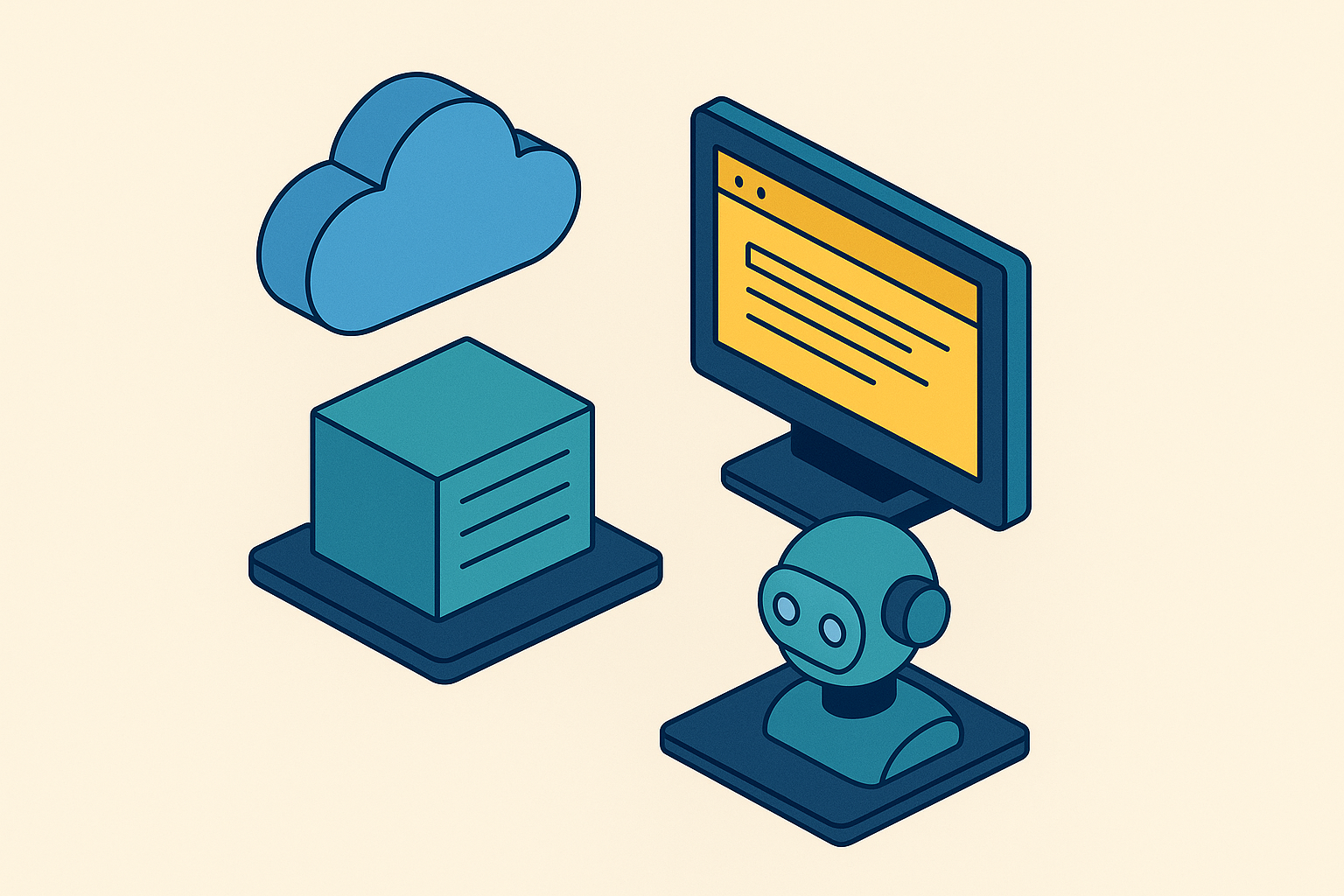
Cloud-hosted headless browser services rent out real browser instances over an API, so an AI agent can load a modern web page the way a person would, JavaScript and all, without anyone on the team running Chromium themselves. This piece walks through what these services actually do, how they stack up against just running Playwright or Puppeteer on your own servers, and what actually matters when picking one for an agent that has to keep working long after the demo ends.
Start with the failure mode most developers hit first. Curl or Python's requests library fetches raw HTML and stops there. It never runs JavaScript, never waits for the page to hydrate, never resolves the async calls that fill in a pricing table or a search results page. For a static site, that's fine. For a single-page app built on a JavaScript framework, the response comes back nearly empty, because the real content only shows up after a browser executes the app's JavaScript.
So the fix seems obvious: run a real browser. Local headless Chromium solves the JavaScript problem, but it drags in a second set of problems that look, from the outside, like the agent itself is broken. Session state drifts between runs. Memory pressure builds under concurrent load until the OS starts killing Chrome processes. Chromium versions fall out of sync across machines, so a script that runs fine on one server fails silently on another. None of this is the agent's fault, really. It's a mismatch between the environment the agent runs in and the environment the task needs, and that distinction matters a lot once an afternoon gets burned chasing what looked like a logic bug and turned out to be a memory leak in a Chromium subprocess.
There's also a gap between how real Chrome renders a page and how a stripped-down headless instance does, and a second gap in how sites detect the difference. Full GPU rendering and complete hydration mean an agent sees the DOM the way a person would see it on screen. Cut those corners, and lazy-loaded images, dynamic elements, or client-side redirects can behave differently than expected. Stack anti-bot detection on top of that, and sites start fingerprinting headless environments, either blocking them outright or quietly serving a degraded version of the page that the agent has no way of knowing is degraded. Run a hundred of these sessions at once and it turns into an ops problem: installing Chromium at scale, watching memory across every instance, provisioning capacity by hand. That's the exact gap cloud-hosted headless browser services exist to close.
What cloud-hosted headless browser services actually provide
At the core, these are managed browser instances, running real browser engines, reachable through an API, where someone else owns the servers underneath. The team doesn't provision compute, install Chromium, or pin versions across a fleet. The provider handles that, along with fleet management, region routing, and memory across however many sessions happen to be running at once.
For AI agents specifically, a handful of capabilities matter more than the rest. Session persistence keeps cookies, local storage, and login state alive across separate tasks, so an agent doesn't re-authenticate every single run. Some platforms handle sign-in automatically and can pick a session back up after a failure without the agent needing custom retry code. JavaScript gets rendered before the agent ever touches the page, so it's reading a fully resolved DOM instead of a half-loaded shell. Proxy integration and stealth configuration push bot-detection handling down into the infrastructure layer instead of leaving it to the agent's own code, and some services solve CAPTCHAs directly, rather than making that someone else's problem.
The observability layer is where cloud services pull furthest ahead of a script running on a laptop, and it's the most underrated piece of the whole category. Live View lets a developer watch a session unfold in real time. Session recordings capture DOM changes, mouse and keyboard events, and navigation history as structured data, so a failed run can be replayed instead of guessed at after the fact. Console logs and network logs get tied to each session individually. None of that exists by default when a script just calls puppeteer.launch() on a laptop and hopes for the best.
Cold start matters too, more than most teams account for upfront. A session that spins up quickly gives an agent browser access the moment it needs it instead of sitting around waiting on a container to boot.
What these services don't do matters just as much: they're infrastructure, not intelligence. A cloud browser service gives an agent a place to run and a way to see what happened, but it doesn't decide what button to click or what a page actually means. That logic still comes from somewhere else entirely, whether that's Browser Use, Stagehand, or code a team writes by hand.
Cloud-hosted headless browsers versus self-hosted Playwright or Puppeteer
Self-hosting isn't obsolete, whatever the sales pitch for the cloud version implies. Playwright and Puppeteer are open-source, free, and give full access to the Chrome DevTools Protocol. For a CI test suite running a few sessions at a time, or a script that scrapes a page every few hours, there's no real case for paying a per-session fee to a third party. Playwright in particular has become close to the default for browser automation, with auto-wait logic that cuts down on flaky timing errors, multi-language support, and codegen tools that lower the barrier to entry. Usage among developers hit 15% by 2023 according to State of JS data, which makes it the working benchmark most teams measure other automation tools against.
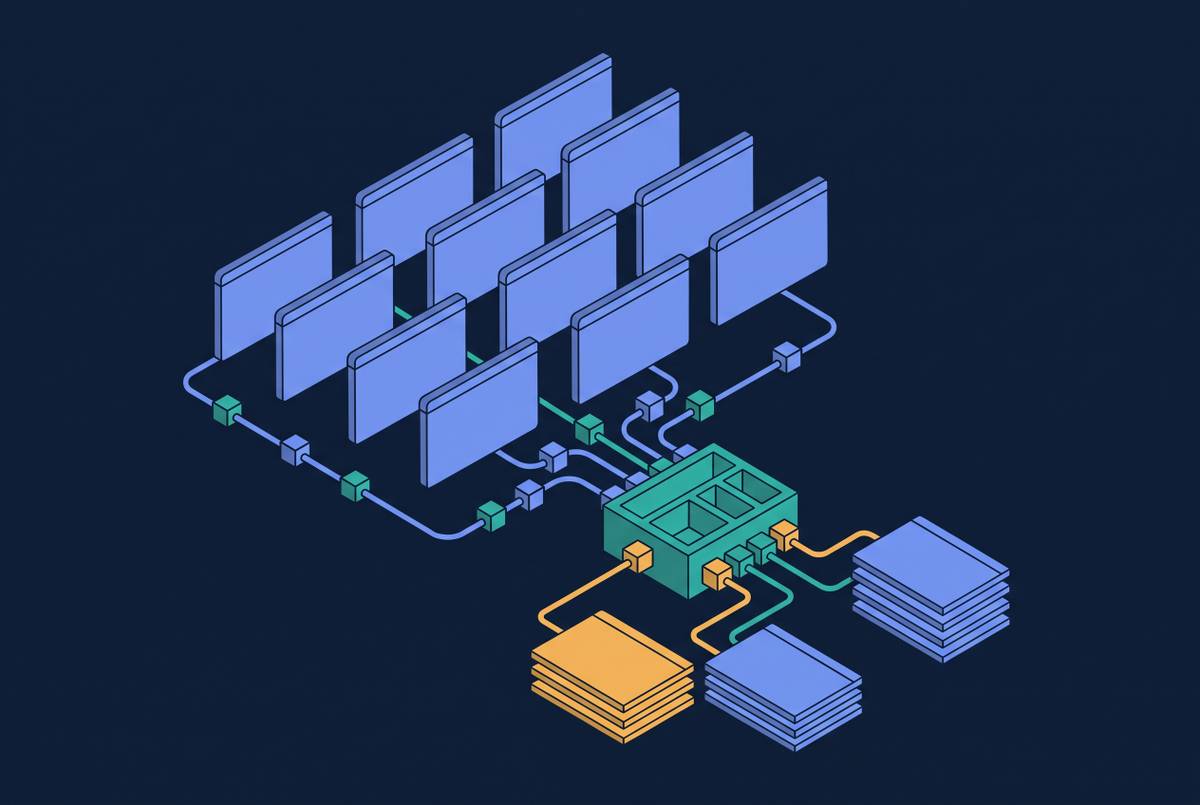
Where self-hosting actually falls apart is concurrency, and this is the point most teams underestimate until it's already a problem. Running twenty sessions locally is manageable. Running two hundred means building a grid, managing a queue, handling retries, routing traffic across regions, and all of that becomes the team's problem to build and maintain rather than a feature that ships with the tool. Observability isn't free either: session replay, network logs, live debugging all have to get instrumented by hand, which means someone is now writing and maintaining logging infrastructure instead of working on the agent itself. Environment drift creeps in too. Chromium versions differ between machines, system dependencies fall out of sync, memory behavior shifts as versions get patched, and a script that ran fine last month starts failing for reasons that take hours to trace back to an update nobody flagged.
Past a certain scale, this stops being a close call. If an agent runs continuously in production, holds authenticated sessions over time, or has to serve many concurrent users without someone getting paged at 2 a.m. over a Chromium process that ran out of memory, self-hosting is the wrong tool, full stop, no matter how much cheaper it looks on a per-session basis. The trade cloud-managed services make is plain: pay more per session, hand off that entire operational surface. Below that line, self-hosted still wins on cost with no real downside. CI pipelines and low-volume scripts don't need a managed platform standing between them and Chromium.
When a cloud desktop is the right choice instead of a headless browser
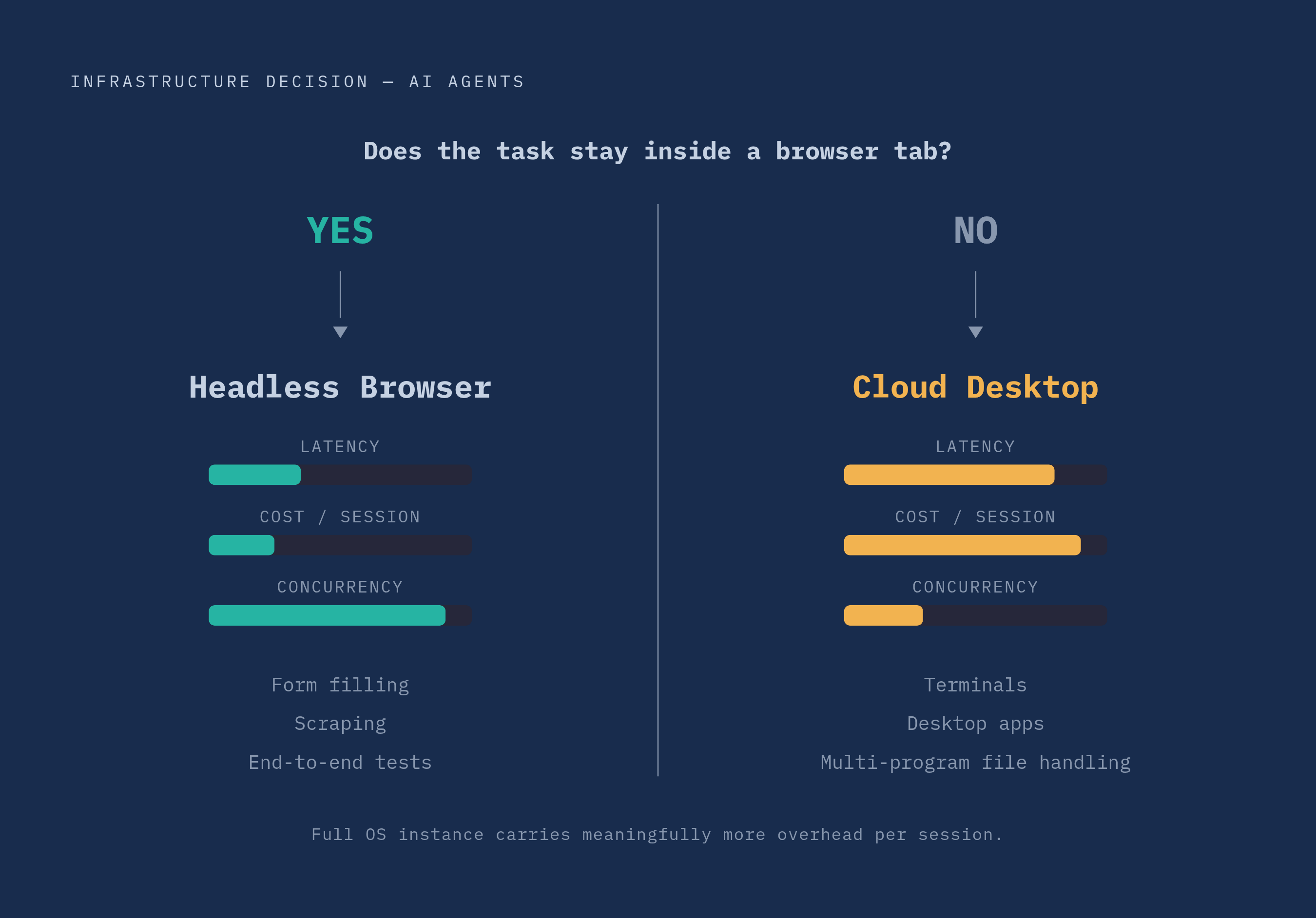
Not every agent task lives inside a browser tab, and that's the whole dividing line here. A cloud desktop runs a full Linux or Windows environment, and the agent controls it the way a person would: screenshots, mouse coordinates, keystrokes, shell commands. Nothing about the target application needs to cooperate, because the agent isn't talking to it through code, it's just looking at pixels and clicking on them.
A headless browser works differently. It exposes the Chrome DevTools Protocol, so DOM manipulation, JavaScript evaluation, and network interception are all available directly. An agent can find an element by its selector or by what it semantically is on the page, rather than guessing at pixel coordinates that shift the moment the layout changes slightly.
So which one actually fits the task? If the work is entirely inside a web page (filling out a form, scraping data, running an end-to-end test, anything repeated at volume), the headless browser wins on every measure that matters: lower latency per action, lower cost per session, a much higher concurrency ceiling. Reaching for a cloud desktop when a headless browser would do is a common overcorrection, and it's an expensive one; a full OS instance carries meaningfully more overhead per session than a browser-only environment, which is exactly why desktop plans cap concurrency lower than browser plans do. But when the task crosses outside the browser, a terminal session, an IDE, a desktop app with no web equivalent, files that several programs need to touch, a cloud desktop is the only tool actually built for that. Natural-language control sits on top of both kinds of tools now, so the interface looks similar from the outside. The real distinction is scope: what the agent needs to touch, not how it gets told what to do.
The leading cloud-hosted headless browser services and how they differ
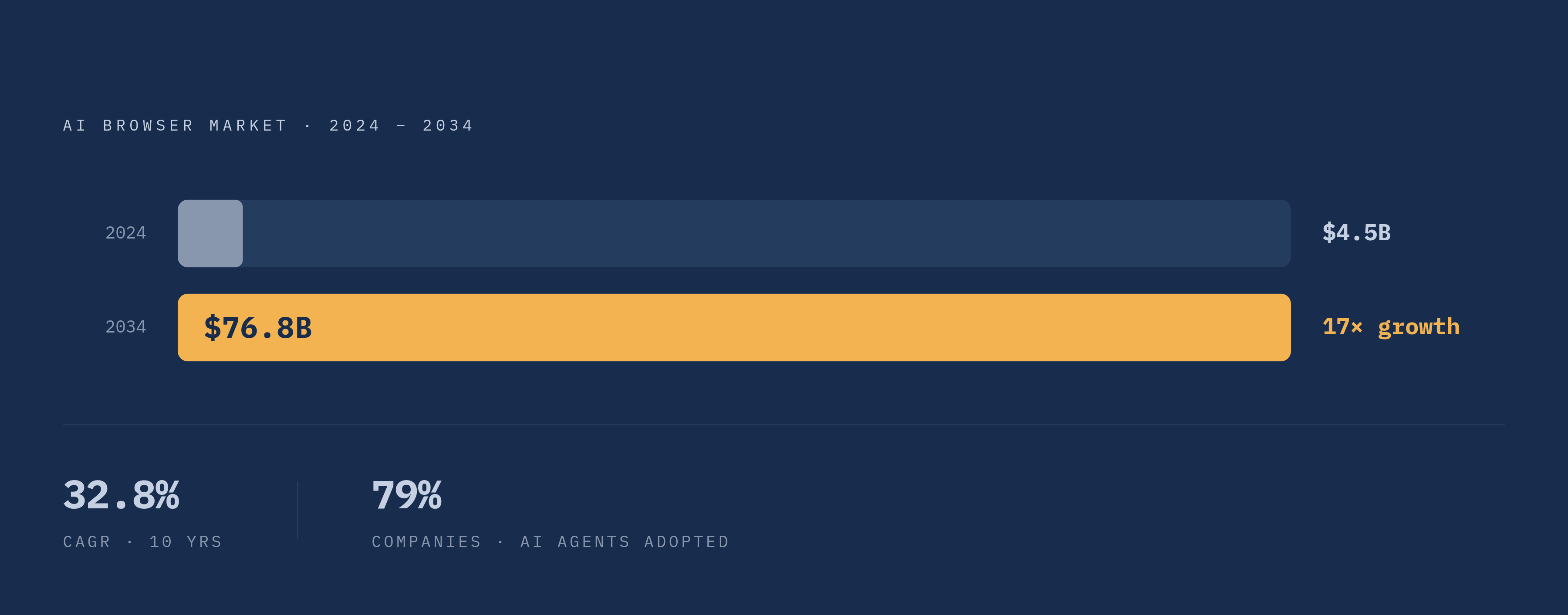
The market behind all this has grown fast. The AI browser market was valued at $4.5 billion in 2024 and is projected to reach $76.8 billion by 2034, a 32.8% compound annual growth rate, and 79% of companies have already adopted some form of AI agent technology, per figures reported by Firecrawl. That's a lot of demand chasing a fairly young category, and the vendors filling it have landed on noticeably different bets.
Browserbase runs managed cloud browser infrastructure compatible with Playwright, Puppeteer, and one other automation tool, built specifically with production AI agents in mind. It offers session persistence, AI-assisted element targeting, and enterprise features like SSO/SAML, role-based access control, per-project isolation, encrypted storage, and private networking. The company processed a large volume of sessions across more than a thousand customers in 2025 and raised a Series B that June. Observability comes through Session Live View and full replay, covering DOM changes, network logs, and console output. Stagehand, Director, and a managed agent API called Browserbase Agents all ship alongside the core infrastructure. Pricing is usage-based with a free tier. The same catch that applies across most of this category applies here too: it's infrastructure, not agent logic, so teams still bring their own framework, Browser Use, Stagehand, or custom code, to actually drive the browser around.
Steel takes an open-source route: a headless browser API built for AI agents, controlled through REST calls or Python and Node SDKs. It handles persistent cookies, automatic sign-in, JavaScript rendering, proxy routing, stealth configuration, and CAPTCHA solving, clearly aimed at agents that need to stay logged into an app and recover gracefully after failures over long stretches of time. Being open-source, it's free to run, and it's picked up roughly roughly 7,100 GitHub stars.
Kernel offers sandboxed cloud browsers with observability and telemetry built in from the start, and it handles bot detection at the infrastructure layer so developers aren't writing their own anti-detection logic on top. Cold start is under 30 milliseconds, which matters a lot for agents triggered on demand rather than running continuously.
Bright Data's Scraping Browser leans hard on its existing proxy network, pairing that with browser automation aimed at enterprise-scale data extraction. It carries more complexity and cost than the pure browser-infrastructure plays, which tracks given the scale of proxy management that supports it.
Lightpanda is the outlier actually worth watching. It's an open-source headless browser built from scratch in Zig, not a wrapper around Chromium, designed specifically for machine consumption rather than human browsing. It claims meaningfully faster execution and lower memory use than headless Chrome, and it's compatible with the Chrome DevTools Protocol, so it drops into existing Puppeteer or Playwright code without a rewrite. Still early-stage, but conceptually the most interesting thing on this list: a browser engine built for agents from the ground up, not adapted for them after the fact.
Cloudflare also operates here through its Browser Rendering product, extending its existing global network, spread across more than 330 data centers, into managed browser sessions reachable by API. It supports the common agent actions, screenshotting, content extraction, PDF generation, structured data capture as JSON or Markdown, and it added native WebMCP support in April 2026. Cloudflare's browser identifies itself as a bot using cryptographic signatures, which sets it apart from services built around evading detection rather than disclosing it, and points toward a more honest model of scraping as the category matures. That's a bet that compliance wins out over stealth long-term, and it's not obvious yet that it will.
How agent frameworks layer on top of browser infrastructure
Browser infrastructure answers where an agent runs and how it scales. It says nothing about how the agent decides what to click, what to type, or when a task actually counts as done. That's the job of the agent framework sitting on top, and the two layers are worth keeping separate in your head even though they get talked about as one thing.
A browser agent generally runs the same rough loop no matter which framework built it: interpret a natural-language goal, read the DOM or accessibility tree, plan the next action, run it and watch what happens, adjust when something unexpected shows up (a popup, a CAPTCHA, a layout that shifted since the last run), then check whether the result actually satisfies the original goal.
A few open-source frameworks have become the default picks for this loop. Browser Use has crossed 97,000 GitHub stars and posts an 89.1% success rate on the WebVoyager benchmark, per Firecrawl's reporting, putting it at the front of general-purpose browser agent tools right now. Stagehand, built in TypeScript, Python, and Go, has accumulated a notable GitHub following and pairs naturally with Browserbase underneath it. Skyvern focuses on what might be called write tasks (form filling, logging in, downloading files, broader workflow automation) and scores 85.85% on WebVoyager while leading specifically on form-filling accuracy; open-source with a cloud offering on top. agent-browser runs as a CLI and MCP interface built for LLM control, and its @ref element system lets an agent interact with page elements using roughly 200 to 400 tokens instead of parsing raw HTML, which adds up fast on cost and speed at scale; it has grown a substantial GitHub following and supports session persistence for authenticated state.
The real difference between this and a plain Playwright script comes down to resilience, and this is where most of the value actually lives. A script that finds a button by its CSS class breaks the moment that class name changes in a deploy. An LLM-driven agent recognizes the "Submit" button by what it does on the page, not its exact selector, so it keeps working through the small frontend changes that would otherwise send someone back to fix a brittle script.
Firecrawl sits a layer above all of this, positioned as a data layer rather than a control layer: search, scrape, extract, plus a Browser Sandbox for managed sessions, backed by more than 130,000 GitHub stars. Across all of these tools, one pattern keeps showing up: pair a managed browser service with an agent framework on top, and put a human-in-the-loop checkpoint before anything high-stakes, a payment, an account deletion, a legal filing, actually goes through.
What to evaluate when choosing a cloud browser service for production agent workloads
Start with the level of abstraction the platform actually gives you. Some services hand over raw browser access and expect the team to bring its own reasoning layer. Others bundle LLM-driven interpretation of the DOM straight into the product. Neither is wrong on its face, but the right pick depends on how much control a team wants over how the agent thinks, versus how much it would rather not build in-house.
Session reliability under real load matters far more than it looks like on a demo call. How does the platform handle browser lifecycle, retries, and fault tolerance once a hundred sessions are running at once instead of three? Can an agent pick an authenticated session back up after a failure without logging in from scratch? Does cold start stay low under load, or does it creep up the moment traffic gets heavy, which matters most for agents triggered frequently or expected to respond fast?
Observability depth is a requirement here, not a nice-to-have bolted on after launch. Session replay, live view, network logs, and structured event capture are the difference between finding a bug in minutes and burning an afternoon guessing what an agent saw thirty steps into a run that failed silently.
Security and isolation matter the moment agents start touching authenticated sessions or anything sensitive. Per-project isolation, encrypted storage, role-based access control, SSO or SAML support, private networking, these aren't boxes to check, they're what stands between a compromised session and an actual breach.
Pricing model fit gets overlooked until a bill shows up that doesn't match anyone's expectations. Per-session pricing, the model Browserbase and Steel use, fits workloads with predictable, bounded sessions. Per-page credit pricing fits data extraction where session count swings unpredictably week to week. Flat subscriptions fit steady, consumer-grade usage that doesn't spike much. Matching the billing model to how usage actually scales is worth doing early, because the wrong model gets expensive fast, and rarely in a way that's obvious until the invoice lands.
Open-source optionality is worth keeping in mind too. Steel offers a self-hosted path for teams that want that control kept in-house, while fully managed services trade that control away for reliability and speed that would otherwise take real engineering time to build from scratch.
Security risks that arise when agents get persistent browser access
An autonomous agent isn't the same threat model as a person clicking through a browser by hand. It often holds elevated permissions, touches multiple systems in a single run, and acts without anyone watching each step in real time. That shift changes what "access" means and what a compromise actually costs when it happens.
Persistent authenticated sessions cut both ways, and that tension deserves sitting with rather than treating as a solved problem. They're what makes a long-running agentic workflow possible at all, letting an agent stay logged in across tasks instead of re-authenticating constantly. But that same persistence means a compromised session carries real credential value: not just a leaked API key, but a live, authenticated path into whatever systems that session touches.
Shadow AI is its own distinct risk category here, and it's probably underrated relative to how much attention prompt injection gets. Browser automation tools running outside official channels can create sessions and data flows that security teams have limited visibility into, let alone manage. Prompt injection adds a second vector traditional browser automation never had to deal with: an agent reading a webpage can be manipulated by content embedded in that page, since the page itself is now an input the agent reasons over, not just a target it acts on.
None of this works without treating agents as their own class of identity, distinct from the humans who deploy them. They need credentials that can be audited, scoped to exactly what's needed, rotated on a schedule, and revoked the moment something looks off, not shared logins or long-lived API keys handed out once and forgotten about. Per-project browser isolation is part of the answer. It's a control, though, not a complete solution, and the category is still working out what a complete one even looks like.