Puppeteer vs Selenium for Modern Web Automation
Puppeteer's direct Chrome connection beats Selenium's portability trade-off for speed.
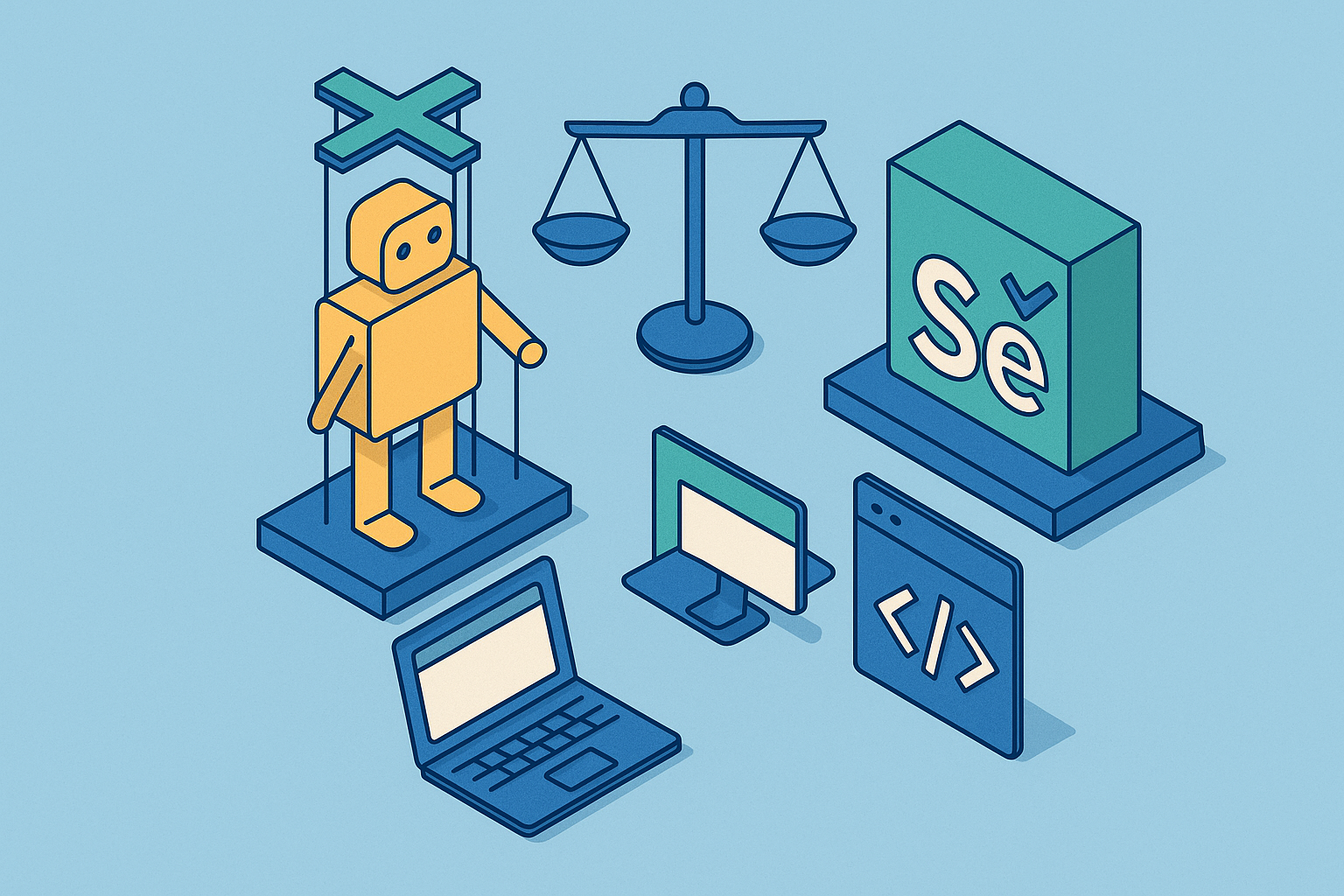
Puppeteer and Selenium both drive a browser from the outside, but they get there through two completely different wiring schemes, and that one fact explains almost everything a developer runs into later. Puppeteer talks to Chrome directly over the DevTools Protocol (CDP), a WebSocket connection with nothing sitting in between. Selenium talks to browsers through the W3C WebDriver standard, sending HTTP and JSON commands through a browser-specific driver that stands between the script and the browser itself. Selenium's round trip runs script to HTTP request to driver process to browser and back through that same chain. Puppeteer's path is one hop: script to WebSocket message to browser. Keep that difference in mind through the rest of this piece, because it explains everything else here: speed, setup pain, browser coverage, and how each tool holds up against the AI agent workflows now reshaping browser automation.
How the two tools arrived at opposite architectural bets
Selenium came out in 2004, built by ThoughtWorks, at a time when the central problem in web automation was cross-browser interoperability. One legacy browser, one mainstream browser, and a third mainstream browser all behaved differently, and there was no shared way to talk to any of them. WebDriver, and later the W3C WebDriver standard, fixed this by putting an abstraction layer between the script and the browser. That abstraction is the whole point of the design: write one test, run it against Chrome, Firefox, or Safari, and let the driver handle the translation underneath.
Puppeteer showed up in 2017, well after Chrome had become the dominant browser and after Google had already built CDP as a direct, low-latency channel for inspecting and controlling the browser engine. Puppeteer's premise flips Selenium's bet on its head. If the target is Chrome, why route commands through an abstraction layer at all? CDP already exposes DOM snapshots, network interception, JavaScript profiling, and accessibility trees, all through one connection, no translation needed.
Neither tool is simply better, and most comparisons that try to crown a winner are asking the wrong question. Selenium bet on portability across a fractured browser landscape that, in 2004, genuinely needed solving. Puppeteer bet on depth of control over a single, dominant engine, a bet that only made sense once Chrome had already won. Selenium should be judged on browser coverage, and Puppeteer should be judged on speed, since each tool was built to solve a different problem.
What the speed difference actually looks like in practice
A Checkly benchmark found Puppeteer and Playwright scripts running roughly 20% faster in end-to-end scenarios than Selenium and WebDriverIO. That's a real number, and it's also the one people cite most carelessly, because almost nobody checks where the gap actually shows up.
The 20% figure is loudest on short scripts, the kind that fire off a handful of commands and finish in a couple seconds. Stretch the script into a longer, multi-step flow, and the overhead difference becomes less pronounced. Checkly also found WebDriverIO getting more unpredictable on longer scenarios, as though the overhead from each HTTP round trip doesn't just stack up linearly but compounds in messier ways as a script grows.
So how much should that 20% actually weigh on a real decision? Less than most people assume, once the task stretches past a single page. For scraping a single page, the number matters, since the whole task is short enough that protocol overhead accounts for most of the runtime. For a long checkout flow or a multi-page form, that overhead nearly disappears next to network latency, how fast the target site responds, and whatever anti-bot wall is standing in the way. Where the speed gap actually earns its keep is at scale: high-volume scraping pipelines, agent loops where every millisecond of round-trip time compounds, and CI suites running hundreds of tests where small per-test savings add up to real wall-clock time saved across a workday.
Setup friction and the developer experience gap
Running npm install puppeteer pulls down a matched build of Chromium right alongside the library. No driver to hunt down, no version number to pin, one command and a working browser sits there ready to script against.
Selenium asks more of the setup. It needs a separate driver, ChromeDriver, GeckoDriver, whichever matches the browser, and that driver's version has to line up with whatever browser version is actually installed on the machine. This has broken more than a few CI pipelines on a random Tuesday morning because Chrome auto-updated overnight and the driver didn't keep pace. Selenium 4's move to the W3C WebDriver standard steadied that communication layer, but the driver-version bookkeeping never went away.
There's a language question too, and calling it "friction" undersells it. Puppeteer only speaks JavaScript and Node.js, full stop. Selenium officially supports Python, Java, C#, Ruby, and JavaScript, with Kotlin reachable through the Java bindings. A Python team choosing Selenium isn't accepting more setup pain. They're picking the only tool actually on the table. Puppeteer isn't slower or clunkier for them, it just doesn't exist as an option for them at all.
Getting from zero to a working script, Puppeteer wins outright, which makes it the natural pick for quick experiments, proof-of-concept scrapers, one-off jobs that don't need to survive six months. Selenium fits long-lived test suites maintained by teams working across several languages inside a formal QA process. Puppeteer's async/await API also gives JavaScript developers a clean, modern style without the pile of explicit wait-conditions older Selenium scripts are known for.
Where each tool has a genuine advantage over the other
Puppeteer's strengths track closely with what CDP was built to expose. Scraping JavaScript-heavy, dynamically rendered pages benefits from CDP's precise DOM access. PDF generation and full-page screenshot capture live directly in Puppeteer's API, not bolted on as an afterthought. Chrome extension testing is well-suited to a CDP-based tool, given CDP's direct access to the browser engine. Performance profiling and network interception are well-exposed through CDP's direct connection to the browser engine. And for lightweight, headless automation where Chrome-only coverage is fine, Puppeteer stays out of the way and gets the job done fast.
Selenium's strengths sit on the flip side of that same coin. Cross-browser testing across Chrome, Firefox, Safari, and Edge, all through one framework, isn't something Puppeteer even attempts. Teams writing in different languages can share the same test logic without switching stacks. The WebDriver model's cross-platform design has also made it a foundation for automation beyond browser-only contexts. Selenium's enterprise ecosystem supports parallel test execution across machines, fitting complex CI/CD pipeline requirements. Selenium's tooling ecosystem offers options beyond hand-written scripts for teams with varied technical backgrounds.
For high-volume, headless-only extraction workloads, Selenium's heavier architecture can become a bottleneck where overhead stops being a rounding error. Puppeteer's lighter, single-hop model tends to suit workloads where DOM fidelity and accurate JavaScript rendering matter more than covering every browser engine on the market.
How adoption numbers reflect and sometimes obscure the real picture
Puppeteer sits at roughly 94,000 GitHub stars as of June 2026, with about 11.7 million npm downloads a week, a strong signal of steady use among JavaScript developers. Selenium's GitHub star count is lower, around 34,000, and its JavaScript binding pulls about 2.2 million weekly npm downloads. Read that comparison at face value and Selenium looks like it's fading. It isn't, and the reason is simple: most Selenium usage never touches npm at all. It runs through PyPI for Python and Maven for Java, so the npm number badly understates how much Selenium actually gets used day to day.
More than 55,785 verified companies still run Selenium, with an estimated 300 million-plus daily test executions across that installed base. That's not legacy debt sitting untouched. That's infrastructure people rely on every single day. What's actually shifted is Selenium's share of new-project evaluations, down from roughly 40% to roughly 22%, and the reason is mostly JavaScript teams picking Playwright for greenfield work rather than picking Selenium by default the way they might have five years ago. Selenium's GitHub repository usage count, north of 354,000, dwarfs its star count of about 32,800, and that gap says more about decades of forks and institutional copies sitting around than it does about the tool losing relevance.
The context that actually explains both numbers is Playwright. Playwright's npm downloads went from under 500,000 a week in early 2021 to more than 35 million a week by February 2026, something like 6,900% growth over five years. Playwright has become the benchmark both Puppeteer and Selenium get measured against now, more than they get measured against each other. The real picture splits three ways: Selenium thrives in enterprise, multi-language environments while losing new JavaScript-native projects to Playwright, and Puppeteer holds onto a loyal following among Chrome-focused scraping and headless-task developers who never needed cross-browser support to begin with.
Why AI agent workflows expose a new fault line between the two tools
Traditional browser automation is deterministic. A person writes the exact steps, click this button, fill in that field, wait for this element to show up, and the script runs those same steps identically every time. Agent workflows don't work that way. Someone describes an outcome, an LLM figures out the steps on the fly, and the browser tool has to keep up with that kind of live, interpretive execution instead of just replaying a fixed script.
That shift adds three new questions on top of the older ones about language support, browser coverage, and speed. How well does the tool represent the page back to the agent, through DOM snapshots and accessibility tree access? How fast does the runtime respond when an LLM needs to fire a real click inside a session that's already authenticated? And does the tool support agent-native APIs like Model Context Protocol (MCP)?
Puppeteer's story here is fairly strong. It supports MCP server integration for agent use cases, supports the experimental WebMCP API for browser-native agent tooling, and CDP's accessibility tree and DOM snapshot access map directly onto what an agent needs to see a page clearly. Selenium's story is weaker: the mismatch between Selenium's HTTP round-trip model and the low-latency, event-driven demands of an agent loop is bad enough that the mismatch between Selenium's HTTP round-trip model and the low-latency demands of an agent loop makes it a difficult fit for new AI agent workflows going into 2026. For the more exotic agent use cases, granular network interception, JS profiling, DOM snapshots, accessibility trees, CDP still has no WebDriver BiDi equivalent today. The real question a team needs to answer before picking a tool is which one actually fits their needs. It's whether the job means executing known steps reliably, or interpreting and adapting to whatever a live page throws at it.
WebDriver BiDi and what protocol convergence means for the comparison going forward
WebDriver BiDi is a W3C standard built to close the exact gap this whole piece has been circling. It's a bidirectional automation protocol meant to combine WebDriver's cross-browser stability with CDP's event-streaming ability, running over WebSockets instead of back-and-forth HTTP request-response cycles. The key thing BiDi hands Selenium is the ability to stream events from the browser back to the script in real time, the same reactive, low-latency model that used to belong to CDP alone.
Selenium is already moving this direction. CDP support for Firefox was deprecated in Selenium 4.27 and 4.28, then fully removed in version 4.29.0, according to a Selenium blog post dated February 3, 2025. The Selenium team keeps swapping CDP calls out for BiDi equivalents as the standard matures. Puppeteer is moving too: when it launches Firefox, WebDriver BiDi is on by default, and Cypress has adopted BiDi for its own Firefox automation.
As of 2026, BiDi covers something like 70% of what CDP can do. Heap profiling, detailed performance traces, and the more exotic corners of CDP still need CDP directly, and there's no BiDi substitute for those yet. Older comparisons that treat the gap between the two automation approaches as permanent are already out of date and worth discounting accordingly. The gap is real, but it's narrowing on a defined timeline, not standing still. For a team making a multi-year infrastructure bet, that trajectory matters more than the current snapshot does. Selenium's BiDi roadmap could close enough of the performance and event-streaming gap to change the calculus for teams that need cross-browser coverage but have been steering away from Selenium purely over speed. For teams that need CDP's deepest features today, heap profiling and fine-grained performance traces among them, CDP and Puppeteer remain the only route in.
Bot detection and the anti-scraping arms race both tools face equally
Browsers driven by Puppeteer, Playwright, or Selenium can all get flagged by anti-bot systems, and headless mode makes the problem worse across the board, no exceptions. The mechanism is fairly mechanical once you see it: automation libraries configure browsers in ways that leave fingerprints behind. Odd WebGL vendor strings. Unusual audio context signatures. Navigator properties that don't match what a real user's browser would report, timing patterns that give the automation away the moment a script fires faster than a human hand ever could. Anti-bot vendors scan for exactly these signals, and they're good at it.
The mitigation tooling looks different depending on which browser is doing the driving. On the Puppeteer side, puppeteer-extra-plugin-stealth patches a long list of these tells, WebGL strings, audio fingerprints, navigator properties, and it's become close to a standard fixture in the Node.js scraping community. Selenium's equivalent patching exists but sits scattered across a polyglot ecosystem, with no single stealth plugin carrying the same weight or the same community behind it.
Underneath both approaches sits a deeper problem, and it applies no matter which tool a team picks: stealth plugins are reactive by nature. They patch known tells, and anti-bot vendors keep finding new ones to replace them. That arms race runs independent of whichever browser tool is doing the driving, and it points to where this actually gets solved: not at the browser-automation layer at all. Running automation at real scale behind residential or rotating proxies, with careful fingerprint management and rate-limiting, is a network-layer problem before it's a browser-tool problem. The tool matters far less than the network its traffic actually travels through, and teams that pour engineering time into picking the "stealthier" library while ignoring their proxy setup are solving the wrong layer of the stack.
Matching the right tool to the actual job
Puppeteer fits when the team already writes JavaScript or TypeScript and Chrome-only coverage is fine for the task at hand. It's the right call for scraping JavaScript-heavy pages, generating PDFs, capturing screenshots, or doing performance profiling work that needs CDP's depth. It's also the stronger pick for an AI agent workflow that needs MCP support, CDP's accessibility trees, or fast click execution inside a live session, and for anything that needs CDP's deepest features, protocol-level network interception, heap profiling, JS execution tracing, that BiDi still doesn't cover. When setup speed and a small dependency footprint matter more than anything else, Puppeteer's no-driver setup wins outright, no contest.
Selenium fits when cross-browser coverage across Chrome, Firefox, Safari, and Edge is a hard requirement, not a nice-to-have. It's the only real option for teams working in Python, Java, C#, Ruby, or Kotlin, given that Puppeteer supports only JavaScript and TypeScript. It's the tool to reach for when automation beyond the browser needs to sit on the same framework as the browser tests, when there's already an enterprise CI/CD pipeline built around Selenium Grid, or when non-developer stakeholders need Selenium's broader tooling approach to build and maintain their own tests.
One path is worth naming before wrapping up. Playwright offers Puppeteer-like speed and a good chunk of CDP's depth, but pairs it with cross-browser support and a richer set of built-in tooling than Puppeteer ships with out of the box, and for greenfield JavaScript projects it's quietly becoming the default answer neither Puppeteer nor Selenium can claim anymore. For a team weighing all three, the architectural question from the opening still holds up: does the job call for portability across browsers, or depth of control over one engine? Answer that honestly first, and the right tool tends to follow on its own.